

Modern SIP Trunking by On Air Telecom
Reduce telephony costs, improve call quality, and connect your existing phone system to a scalable voice network designed for growing businesses.
Request a demoUpgrade Your Voice Infrastructure, Not Your Entire Phone System
SIP Trunking connects your existing IP PBX to modern business voice without requiring a complete change to your communications setup.
Keep the phone system your teams already use while gaining greater flexibility over calling capacity, business numbers and voice connectivity.
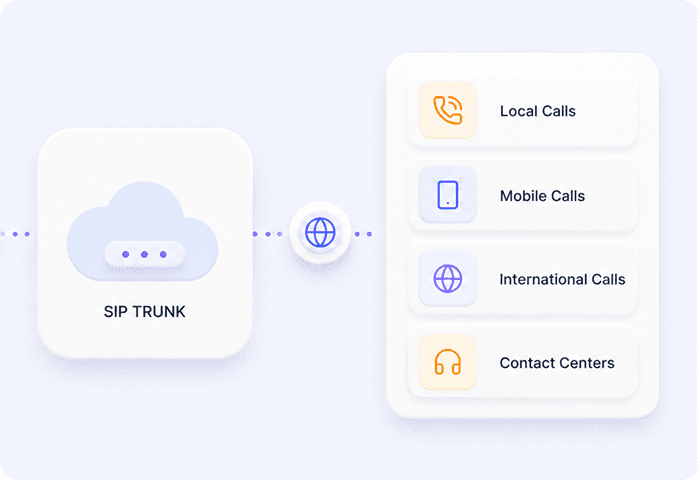


Connect Your Existing PBX
Bring SIP connectivity to your current business phone system without replacing the way your teams already work.
Scale Voice Capacity
Adjust calling capacity as your business, locations and communication requirements change.
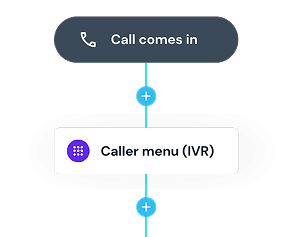
Support Inbound & Outbound Calling
Connect business calling through a single SIP-based voice service.
Manage Business Numbers
Use your business numbers alongside your SIP setup for a more connected voice environment.

Connect Your Existing Phone System to Modern Voice
SIP Trunking gives businesses a way to connect an existing IP PBX to On Air Telecom voice services without moving to a completely new phone system. Keep the communications setup that already works for your business while gaining greater flexibility over voice connectivity, numbers and calling capacity.
Request a demoFlexible Voice for the Way Your Business Operates
Build your SIP setup around your existing communications environment. Connect locations, manage calling requirements and adapt voice capacity as your business changes.

Use Your Existing Infrastructure

Support Different Calling Needs

Connect Multiple Locations

Scale When You Need
Extend Your SIP Setup
Build around your core SIP service with business numbers, routing and additional voice capabilities based on your communications requirements.
Business Numbers
Use business numbers alongside your SIP setup to support local and business calling requirements.
Call Routing
Direct incoming calls based on your business setup, locations and calling requirements.
Inbound & Outbound Calling
Support incoming and outgoing business calls through your SIP voice environment.
Built Around Your Business
A flexible SIP voice setup designed to work with the communications environment your business already has.







Works With Your Existing Setup
Connect SIP voice to your current IP PBX without rebuilding your entire communications environment.
Adapt to Changing Requirements
Configure calling capacity around the needs of your teams, locations and operations.
Grow Without Replacing Your PBX
Expand your voice setup as your business grows while continuing to use your existing phone system.
Frequently Asked Questions
What is SIP Trunking?
SIP Trunking connects your existing IP PBX or business phone system to voice services over an internet connection, allowing you to manage business calling without traditional phone lines.
Can I use SIP Trunking with my existing phone system?
SIP Trunking is designed to work with compatible IP PBX systems, allowing businesses to modernize their voice connectivity without replacing their entire phone setup.
Does SIP Trunking support inbound and outbound calling?
Yes. On Air Telecom SIP Trunking supports both inbound and outbound business voice, allowing you to receive and make calls through your existing communications environment.
Can I use my business numbers with SIP Trunking?
Yes. Business numbers can be used alongside your SIP setup to support incoming and outgoing business communications.
Can SIP Trunking support multiple business locations?
SIP Trunking can provide a more consistent voice setup across multiple offices and business locations while allowing each location to work within the wider communications environment.
Can I scale my SIP capacity as my business grows?
SIP-based voice provides flexibility to adjust calling capacity as your teams, locations and communication requirements change.
How do I know if my current PBX is compatible?
Compatibility depends on your existing phone system and configuration. The On Air Telecom team can review your current setup and recommend the appropriate SIP configuration.
How do I get started with On Air Telecom SIP Trunking?
Speak with the On Air Telecom team about your existing phone system, business numbers, locations and calling requirements. We'll help determine the right SIP setup for your business.